

How to Make Product Video with AI: A Complete Guide for Brands in 2026
The algorithm doesn’t care about your product launch timeline. It doesn’t wait for your budget approval or your creative director’s vacation to end. In the relentless scroll economy, brands that can produce compelling product videos faster win the attention game. Artificial intelligence has crashed through the studio doors, offering tools that promise Hollywood-grade results in hours instead of weeks. But here’s what nobody tells you: AI video tools are brilliant assistants, not replacement creators. The difference between a product video that converts and one that gets skipped in three seconds still comes down to creative thinking, strategic framing, and understanding what makes your audience stop scrolling. At Roopol Studio, we’ve spent the last year testing every AI video tool that claims to revolutionize product content, and we’re pulling back the curtain on what actually works for brands in Toronto and beyond.
Understanding the AI Video Revolution for Product Content
Artificial intelligence hasn’t just changed video production. It’s demolished the old cost-benefit equation entirely. A product video that once required a full crew, rental equipment, and three days of shooting can now begin with your smartphone footage and AI-powered editing platforms. But speed without strategy creates noise, not conversion.
The real power of AI in product videography lies in three specific areas: automated editing sequences, intelligent background removal, and dynamic text-to-video generation. These aren’t science fiction features anymore. They’re everyday tools that smart brands layer into their content workflow.
Think of AI as your video production intern who never sleeps, never complains, and processes footage faster than humanly possible. But like any intern, it needs direction. The footage you feed it, the prompts you write, and the creative decisions you make before hitting ‘generate’ determine whether your output looks like premium brand content or amateur hour.
Modern AI video platforms can analyze your product, suggest optimal camera angles, recommend transitions based on your industry, and even generate voice-over scripts. Tools like Runway ML, Descript, and Synthesia have moved from experimental to essential. Each serves different needs in the product video pipeline.
Choosing the Right AI Video Tools for Product Showcases
Not all AI video platforms understand product content. Some excel at talking-head presentations while fumbling basic product rotation shots. Your tool selection should match your specific content goals, not just the flashiest demo reel.
For quick product highlight reels, platforms like Pictory and InVideo offer template-based systems where you upload product images and footage, select a style, and let AI handle the assembly. These work brilliantly for social media snippets and ads under 30 seconds. The limitation? Everyone using the same template creates similar-looking content. Your competitive advantage evaporates.
More sophisticated needs require more sophisticated tools. Runway ML gives you granular control over motion, allowing you to animate static product shots with AI-generated movement. Imagine your product floating, rotating, or exploding into components without rigging a single wire. The learning curve is steeper, but the creative possibilities multiply.
For brands creating regular content across Toronto and GTA markets, Descript offers an editing paradigm shift. Edit video by editing text. Delete a sentence from your transcript, and the corresponding video vanishes. Add AI-generated B-roll to cover awkward pauses. The platform thinks like a writer, which makes it intuitive for brand managers who aren’t professional editors.
Budget reality check: Most professional-grade AI video tools operate on subscription models between $30 and $100 monthly. Free tiers exist but watermark your content or limit export quality. For brands serious about video marketing, the investment pays for itself in the first campaign when you avoid traditional production costs.
Creating Source Material: The Foundation AI Can’t Fix
Garbage footage plus brilliant AI equals polished garbage. The most common mistake brands make when diving into AI video production is assuming the technology can salvage poor source material. It cannot.
Start with clean, well-lit product footage. Natural light works wonders, but consistency matters more than perfection. Shoot your product from multiple angles: straight-on, 45-degree angle, overhead, detail closeups, and in-use scenarios. AI tools perform exponentially better when they have variety to work with.
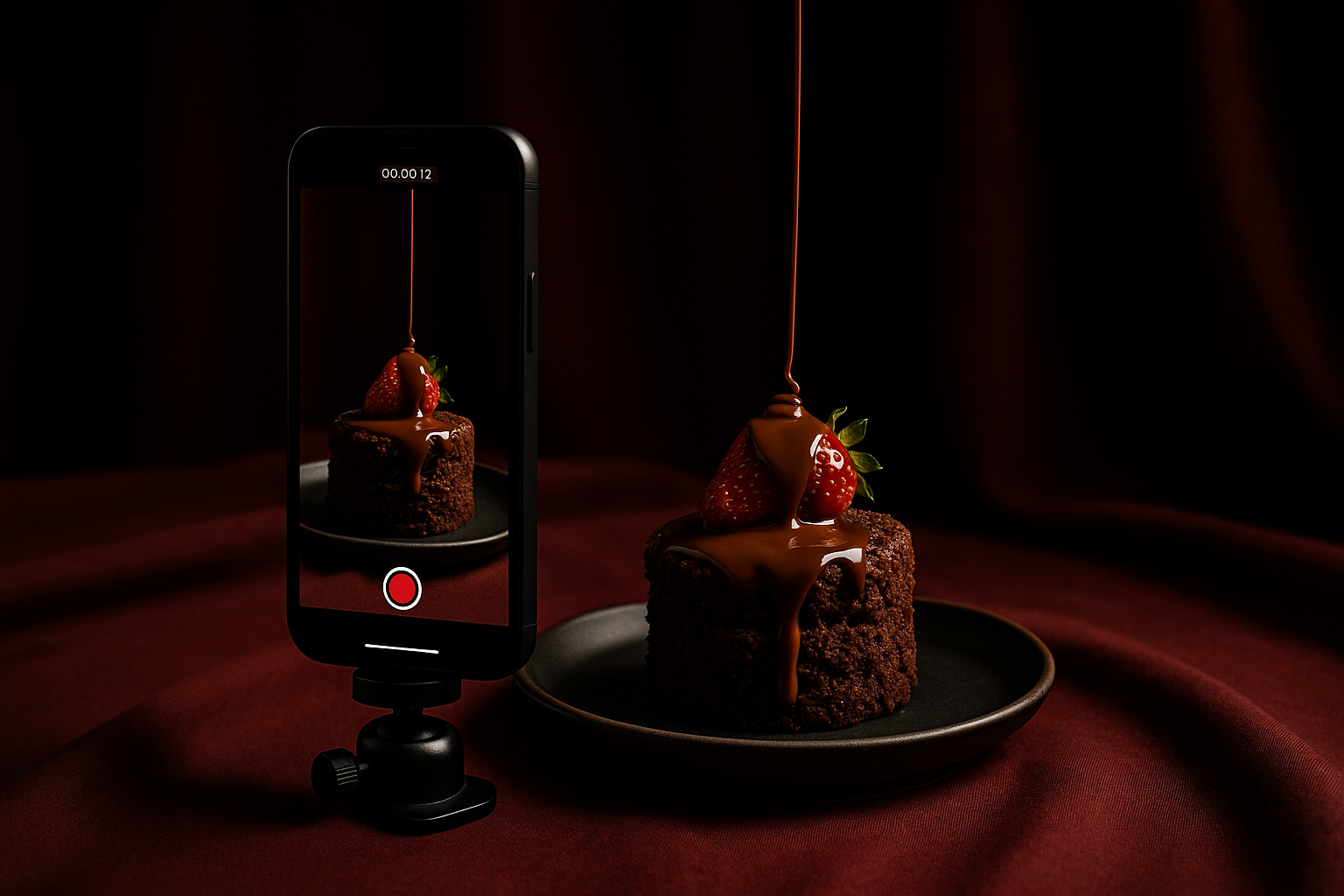
Stabilization is non-negotiable. Shaky smartphone footage taxes even advanced AI stabilization algorithms. A $30 phone tripod prevents hours of frustration. If you’re shooting products in motion, use your phone’s built-in stabilization mode or invest in a basic gimbal.
Resolution determines your output quality ceiling. Shoot in 4K if your device allows it, even if your final delivery is 1080p. AI upscaling tools work miracles, but they can’t invent detail that was never captured. The extra pixels give editing flexibility and future-proof your content library.
Background considerations change when AI enters the equation. Tools like Unscreen and Runway can remove backgrounds with frightening accuracy, but they struggle with transparent products, fine hair-like details, or complex reflective surfaces. If your product features any of these characteristics, invest time in proper background setup during shooting. A simple sweep of seamless paper costs $20 and saves hours of AI cleanup.
Audio matters more than most brands realize. AI can generate music and voice-overs, but original product sounds create authenticity. The sizzle of food, the click of packaging opening, the texture of fabric – these sounds ground your product in physical reality. Capture clean audio with an external microphone, even a basic lavalier model.
The AI-Powered Editing Workflow That Actually Works
Professional video editors spent decades perfecting their craft. AI tools attempt to compress that expertise into algorithmic decisions. The brands winning with AI video aren’t replacing editing skill – they’re amplifying it.
Begin with automated organization. Upload your raw footage to platforms like Descript or Frame.io (which now includes AI tagging). The AI scans every frame, identifying product shots, people, closeups, and even emotional tones. What used to take hours of manual logging happens in minutes. You can instantly pull every closeup shot or every frame featuring your product packaging.
Next comes the rough assembly. Most AI video tools offer template-based structures: problem-solution narratives, feature showcases, comparison formats, or testimonial structures. Select the template matching your campaign goal. The AI drops your footage into appropriate slots based on visual analysis.
Here’s where human creativity separates memorable from mediocre. The AI draft is your starting point, not your finish line. Watch the automated edit with fresh eyes. Where does pacing drag? Where do transitions feel jarring? AI follows rules; great video editing knows when to break them.
Color grading AI has matured dramatically. Tools like DaVinci Resolve include neural engine color matching that analyzes professional film looks and applies similar grading to your footage. This democratizes what was once expensive colorist territory. Your product shots can carry the warm, appetizing tones of premium food content or the crisp, clean aesthetic of luxury tech.
Text overlays and motion graphics represent AI’s most practical contribution. Instead of mastering After Effects, you describe what you want: “Bold yellow text that bounces in from the left highlighting our product’s three key features.” The AI generates options. You refine. This back-and-forth workflow feels more like art direction than technical execution.
Voice-Over and Music: AI Audio That Enhances Product Stories
Silent product videos work for Instagram Stories. Everywhere else, audio carries half your message. AI audio tools have evolved from robotic monotone to surprisingly natural narration, but knowing when to use synthetic voices versus human recordings separates amateur from strategic content.
Text-to-speech platforms like ElevenLabs and Murf.ai generate voice-overs that most viewers can’t distinguish from human recordings. You type your script, select a voice profile (professional female, warm male, energetic young adult), adjust pacing, and download studio-quality narration. For explainer videos, product features, or specification-heavy content, these tools eliminate recording booth costs.
The limitation? Emotional nuance. AI voices handle informational content brilliantly but struggle with humor, irony, or heartfelt storytelling. If your brand voice includes personality quirks, inside jokes, or emotional appeals, human voice-over remains superior. Many Toronto brands working with Roopol Studio blend both approaches: AI for quick social content, human recording for flagship campaigns.
Background music selection used to mean navigating complex licensing agreements or settling for overused stock tracks. AI music generators like Soundraw and Mubert create original compositions based on mood, tempo, and duration parameters. Specify “upbeat, modern, 30 seconds, building energy” and receive unique tracks royalty-free. Your product video soundtrack won’t appear in twelve competitor videos.
Sound design adds the final polish layer. AI audio tools can enhance existing sounds, remove background noise, or generate missing audio elements. That satisfying product-clicking-shut sound you forgot to record? AI foley tools create convincing alternatives. The result feels more produced without traditional post-production budgets.
Platform-Specific Optimization: Where AI Delivers Maximum Impact
A product video optimized for YouTube fails on TikTok. Aspect ratios, pacing, and content structure vary dramatically across platforms. AI tools now handle multi-platform adaptation automatically, but understanding the strategic differences ensures your product shows up at its best.
Instagram Reels and TikTok demand vertical 9:16 video with hooks in the first second. AI platforms like Opus Clip analyze your longer product video and extract the most engaging moments, automatically reformatting them for vertical viewing. The AI identifies scenes with product focus, removes filler content, and adds platform-appropriate captions.
YouTube product videos perform best between 60 and 90 seconds, horizontal 16:9 format, with clear chapter markers for longer content. AI editing tools can add automatic chapters based on visual scene changes or topic shifts in your narration. This improves viewer retention and YouTube’s algorithmic favor.
LinkedIn prefers square 1:1 format for feed videos, with professional tone and clear business value. The same AI that made your TikTok version fun and fast can adapt your product video into a thought-leadership piece for professional audiences. Different text overlays, adjusted pacing, and industry-specific language transforms one shoot into platform-optimized variants.
Website product pages benefit from short looping videos that autoplay silently. AI tools can extract three-second product rotation loops from your longer footage, optimize file size for fast loading, and ensure seamless replay. These micro-videos increase conversion rates by showing products in motion without requiring viewer commitment.
Maintaining Brand Authenticity While Leveraging AI Efficiency
The democratization of video production through AI creates a paradox: everyone can make decent videos, so decent no longer differentiates. Your brand voice, visual style, and creative perspective become the only sustainable competitive advantages.
Develop clear brand guidelines before touching AI tools. Define your color palette, font selection, animation style, and editorial tone. Most professional AI video platforms allow custom templates that encode these preferences. Configure once, then every AI-generated video maintains brand consistency automatically.
At Roopol Studio, we approach AI video tools as creative accelerators rather than creative replacements. The initial concept, shot composition, and storytelling structure still require human judgment rooted in understanding what makes Toronto and GTA audiences respond. AI handles the tedious technical execution, freeing creative energy for strategy and refinement.
Consider your industry context. Restaurant and food brands need different visual language than tech products or fashion items. AI tools trained on general video content might suggest transitions or effects misaligned with your category norms. Override generic AI suggestions when your brand knowledge indicates a better approach.
Test extensively before committing to workflows. Generate multiple AI video versions using different tools and approaches. Show them to colleagues, customers, and target audience members without revealing which used AI versus traditional production. The honest feedback reveals whether your AI workflow maintains quality standards or cuts corners your audience notices.
Hybrid workflows often deliver optimal results. Use AI for tasks that consume time without requiring creativity: transcription, basic color correction, audio cleanup, and multi-platform reformatting. Reserve human attention for creative decisions: story structure, emotional pacing, brand voice, and strategic messaging. This division of labor maximizes both efficiency and quality.
Measuring Success: Analytics That Inform Your Next AI Video
Creating product videos faster means nothing if they don’t drive business results. AI analytics tools now track viewer behavior at granular levels, revealing exactly which moments resonate and which lose attention.
Most social platforms provide basic metrics: views, watch time, engagement rate. But AI-powered analytics dig deeper. Tools like Vidyard and Wistia track individual viewer behavior, showing where people rewind, where they drop off, and which calls-to-action generate clicks. This data informs your next video’s structure.
Heat mapping reveals which product features capture attention. If viewers consistently rewind to see your packaging closeup but skip your features list, you’ve learned something valuable about messaging priority. AI video platforms increasingly integrate this feedback directly, suggesting edit adjustments based on performance data.
A/B testing becomes practical when AI reduces production time. Generate two versions of the same product video with different opening hooks, background music, or pacing. Run both simultaneously to matched audiences. The performance difference guides future creative decisions with data instead of guesswork.
Conversion tracking connects video content to business outcomes. If your product video lives on a landing page, UTM parameters and pixel tracking reveal whether video viewers convert at higher rates than non-viewers. This ROI clarity justifies continued investment in video content and helps allocate budget between AI tools and professional production services like those offered through our booking system.
Common Mistakes Brands Make With AI Video Production
The accessibility of AI video tools creates a false confidence. Brands assume that easy-to-use means automatically effective. The learning curve isn’t technical; it’s strategic.
Over-reliance on templates creates sameness. When every competitor uses the same AI platform with default settings, brand differentiation vanishes. Customize templates aggressively. Adjust timing, change transitions, modify text animations. The extra 20 minutes of customization separates your content from the generic flood.
Ignoring aspect ratio requirements wastes content potential. Shooting everything horizontally and letting AI crop to vertical formats results in awkward framing where products get cut off or appear too small. Plan for multi-platform from the production stage, framing shots with safe zones that work across formats.
Rushing past the revision stage undermines AI’s benefits. Yes, AI generates drafts quickly. But the first draft is rarely the best draft. Schedule review time into your workflow. Sleep on it. Watch with fresh eyes. The speed AI provides should expand your refinement time, not eliminate it.
Forgetting accessibility features limits your audience. AI tools can auto-generate captions with high accuracy, but many brands skip this step. Over 80% of social video plays with sound off. Captions aren’t optional; they’re essential. AI makes them effortless, so include them by default.
Neglecting file organization creates future chaos. When AI helps you produce ten videos a week instead of one, your content library explodes. Implement systematic naming conventions and cloud storage organization from day one. Future you will be grateful when searching for that specific product angle from three months ago.
Frequently Asked Questions
Can AI completely replace professional video production for product content?
AI excels at efficiency and technical execution but can’t replace creative vision, strategic thinking, or production quality for flagship campaigns. Smart brands use AI for high-volume social content while partnering with professional studios like Roopol Studio for hero content that defines brand identity. The ideal approach blends both: AI handles the content treadmill while professional production creates the standout pieces that elevate your entire brand presence. For product launches, major campaigns, or content representing significant investment, professional videography and photography still deliver superior results that AI can’t match.
How much does it cost to create product videos using AI tools?
Entry-level AI video platforms start around $20-30 monthly with limitations on exports or watermarked content. Professional-grade tools range from $50-150 monthly depending on features and usage volume. Most brands find the $75-100 monthly tier offers the right balance of capability and cost. Compare this to traditional video production ranging from $500-5000 per video, and the ROI becomes clear. The real cost isn’t the software subscription but the learning curve time investment. Budget 20-40 hours initially to master your chosen platform, then ongoing time per video decreases dramatically.
What equipment do I need to create source footage for AI video tools?
Modern smartphones (iPhone 12 or newer, recent Samsung Galaxy models) provide sufficient video quality for most product content. Essential additions include a basic tripod ($20-40), good lighting (natural window light or a simple LED panel for $60-100), and a clean shooting background (seamless paper or fabric backdrop for $20-50). Total equipment investment can stay under $200 while producing professional-grade source material. For restaurants and food brands in Toronto working with changing natural light, investing in portable LED panels ensures consistency across shooting sessions.
How long does it take to create a product video using AI from start to finish?
Timeline varies based on complexity and your experience level. A simple 15-second product highlight reel takes 30-60 minutes including shooting, uploading, AI processing, and minor edits. More complex 60-90 second videos with multiple scenes, voice-over, and custom graphics require 2-4 hours. Compare this to traditional video production timelines of days or weeks. The speed advantage multiplies when creating platform variants – AI can generate vertical, horizontal, and square versions simultaneously in minutes versus hours of manual reformatting.
Will viewers notice that my product video was made with AI?
Quality AI video that starts with good source footage and receives thoughtful editing appears indistinguishable from traditionally produced content to most viewers. Red flags that reveal AI production include robotic voice-over pacing, template-obvious transitions, or poorly masked background removal. The key is treating AI as a production tool rather than a replacement for creative judgment. Videos created with AI assistance but refined with human editing, custom brand elements, and strategic pacing will match or exceed viewer expectations. Most audiences care about value and entertainment, not production methodology.
Transform Your Product Video Strategy With Smart AI Integration
The brands winning attention in 2026 aren’t choosing between AI efficiency and creative excellence. They’re demanding both. Product videos created with AI tools stop the scroll when they start with strategic thinking, quality source material, and refinement that respects audience intelligence. The technology removes traditional barriers of cost and time, but it amplifies rather than replaces the need for creative vision.
Whether you’re a Toronto restaurant showcasing new menu items, a GTA retailer launching seasonal products, or a national brand expanding content output, AI video tools deserve a place in your production workflow. Start small. Test one platform with one product. Measure results. Refine your approach. The learning investment pays compounding returns as your team develops fluency with tools that keep improving monthly. For projects where you need the certainty of professional production quality, content that defines your brand identity, or simply want to focus on business while experts handle the visual storytelling, Roopol Studio brings both traditional craft and cutting-edge AI capabilities to every project. Ready to create product videos that actually convert viewers into customers? Book a free consultation and let’s discuss the hybrid approach that matches your brand’s ambitions, timeline, and budget.